Create S3 bucket
Create an Amazon S3 bucket to store static content using the Amazon S3 console. For more information, see Amazon S3.
- Open the Amazon S3 console at https://console.aws.amazon.com/s3/.
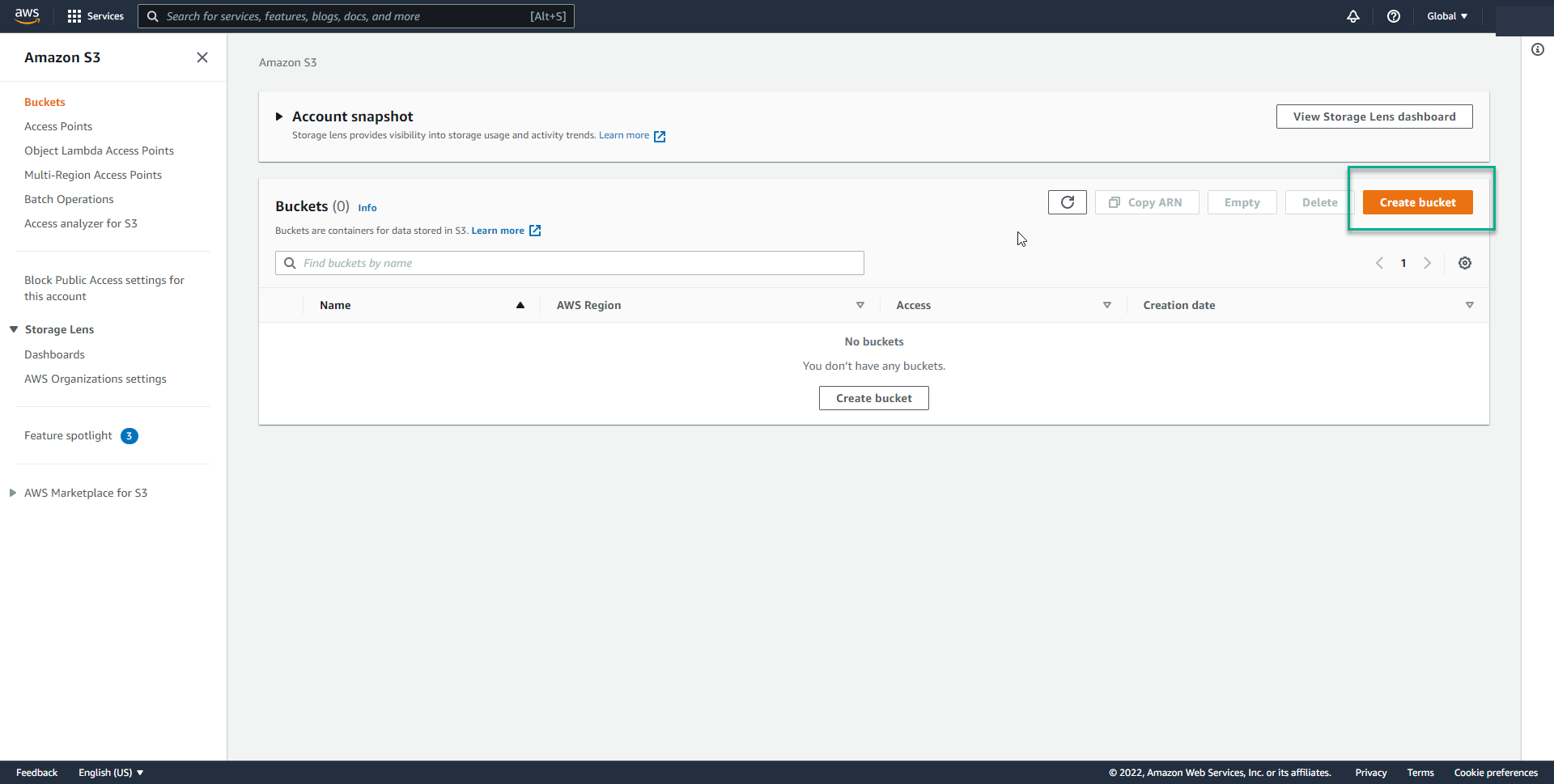
- From the console, choose the Create bucket button.
For AWS Region: choose Asia Pacific (Singapore) ap-southeast-1
For Bucket name: enter
doc-example-bucket-111
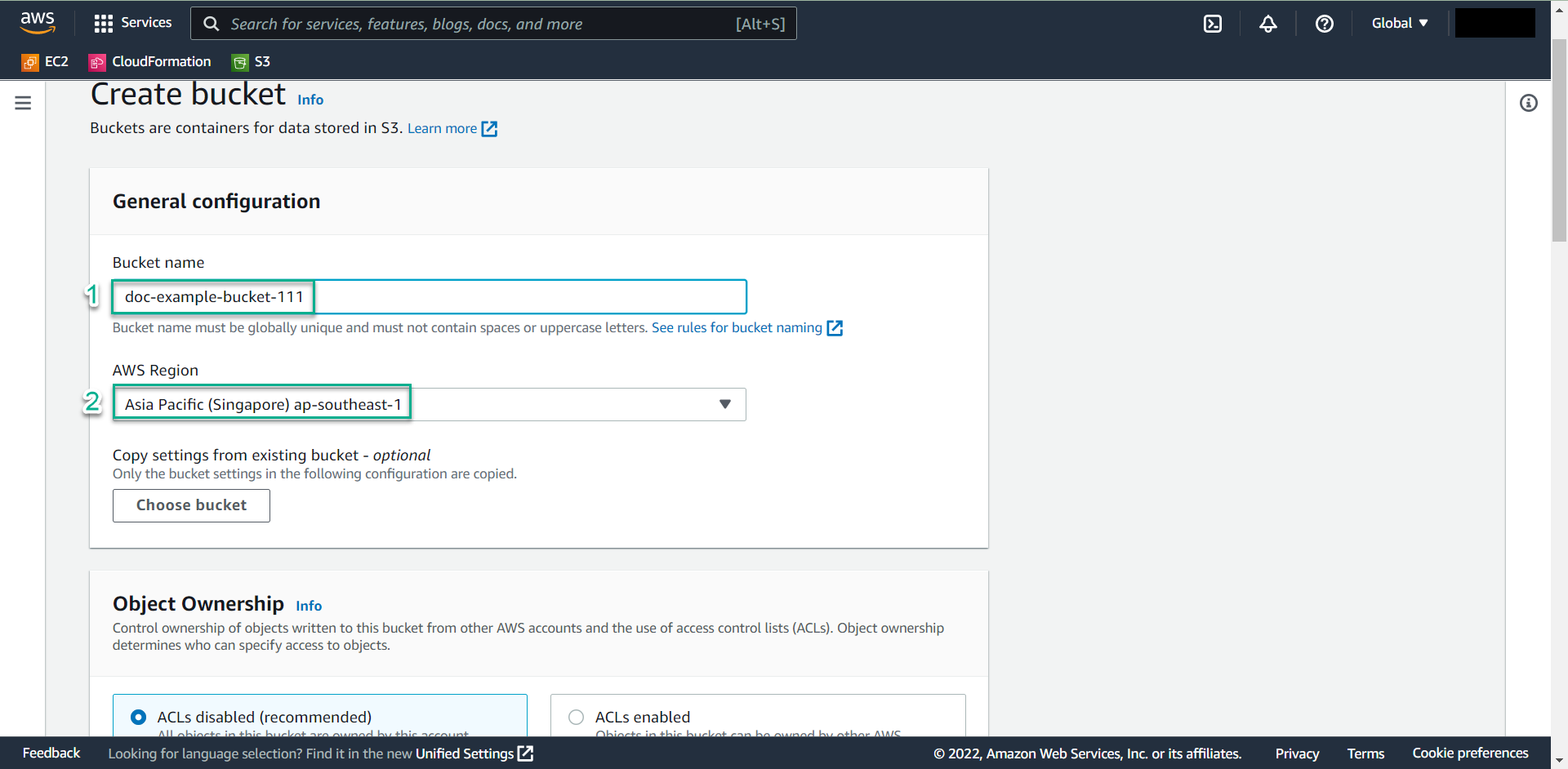
- Name your Bucket name, enter the name and adhere to the rules below for the Bucket. Follow these naming guidelines:
- The name must be unique across all existing buckets in Amazon S3.
- The name must not contain uppercase characters.
- The name must start with a lowercase letter or number.
- The name must be between 3 and 63 characters long.
Choose a Region close to you to minimize latency and costs, or to address regulatory requirements. Note that for this example, we will accept the default settings and this bucket is secured by default. Consider enabling additional security options such as logging and encryption, Data protection in Amazon S3.
In this example,
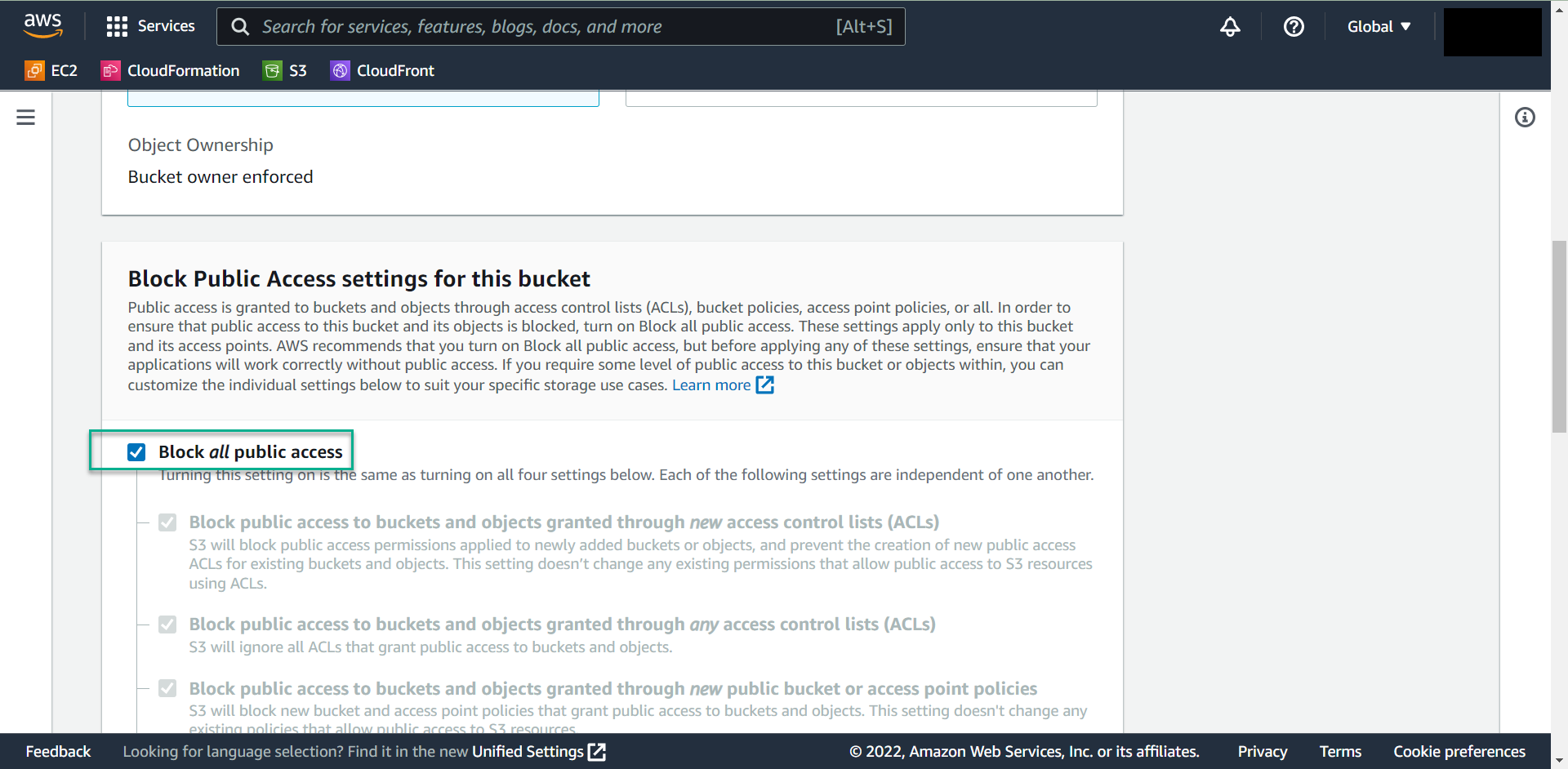
- We keep the default Block all public access
- Under Bucket versioning
Enable bucket versioning, to keep multiple versions of an object so that you can recover an object if you accidentally modify or delete it.
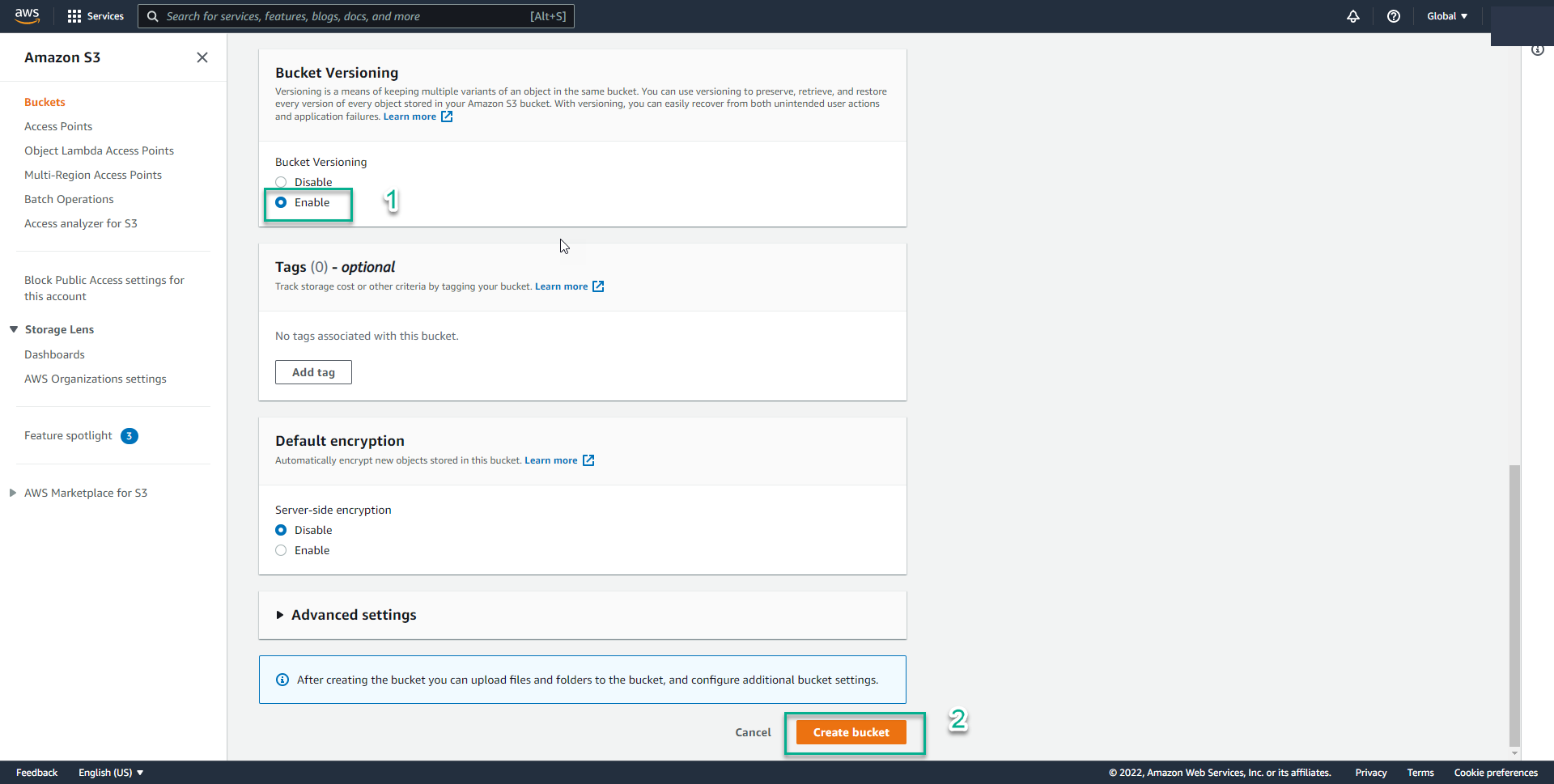
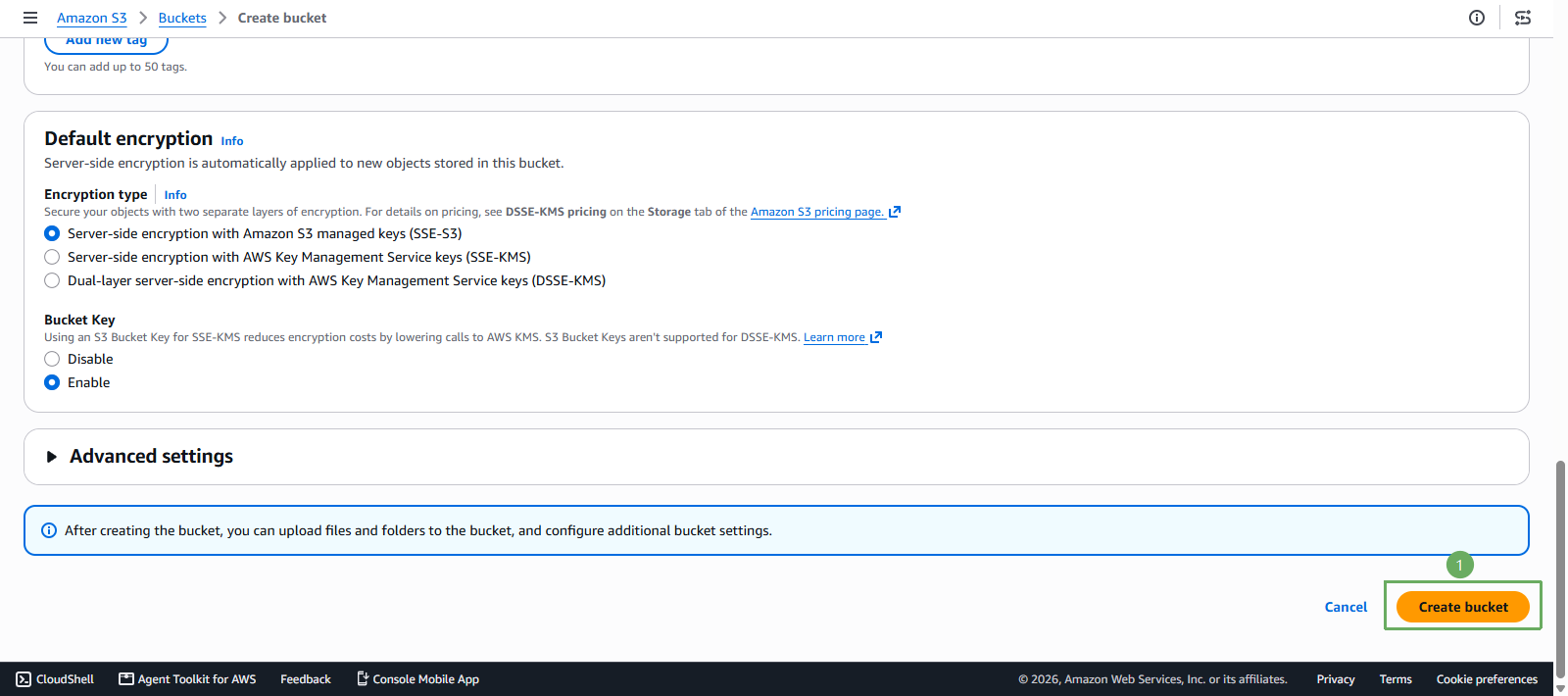
Choose Create bucket